

Invoices
AccountFinding your invoices in AccuRanker
Where can I find my invoices in AccuRanker?
Go to the “Account” tab, and select “Subscription”.
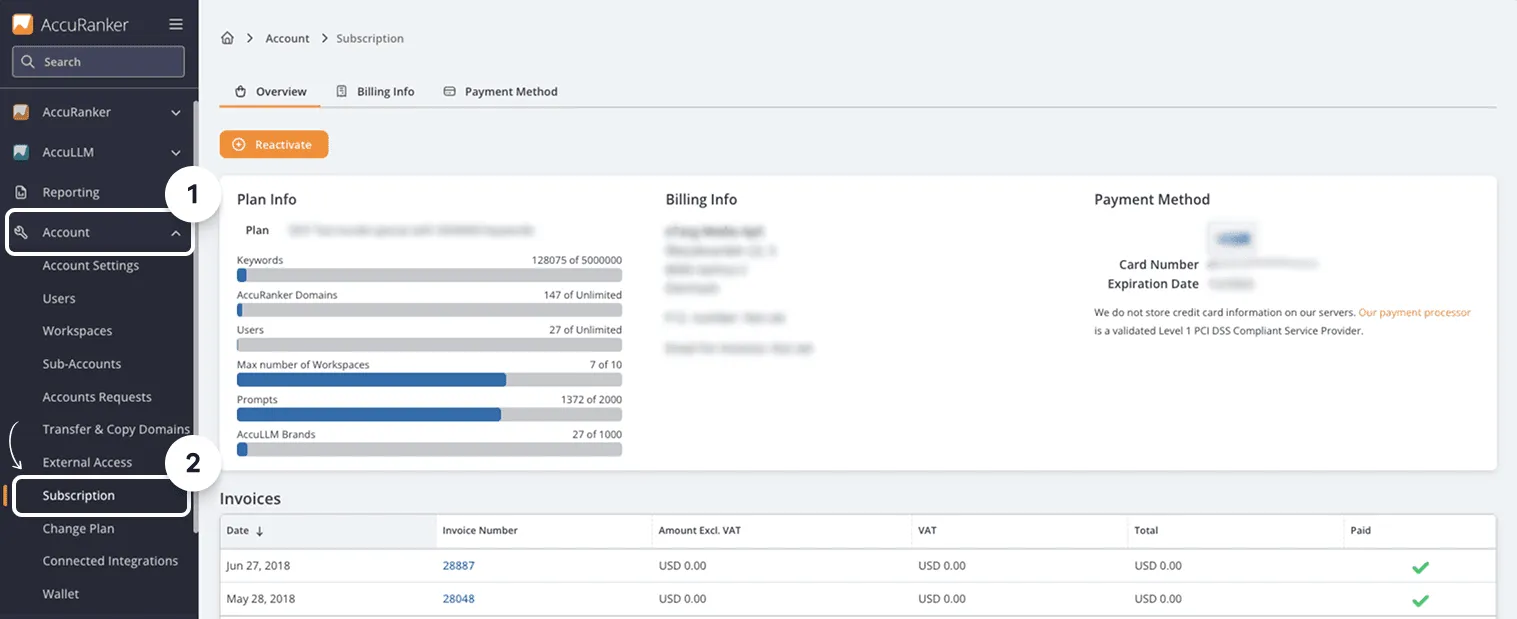
Invoices are available for download by clicking the link in each row.

Change Email for Invoices.
Step 1)
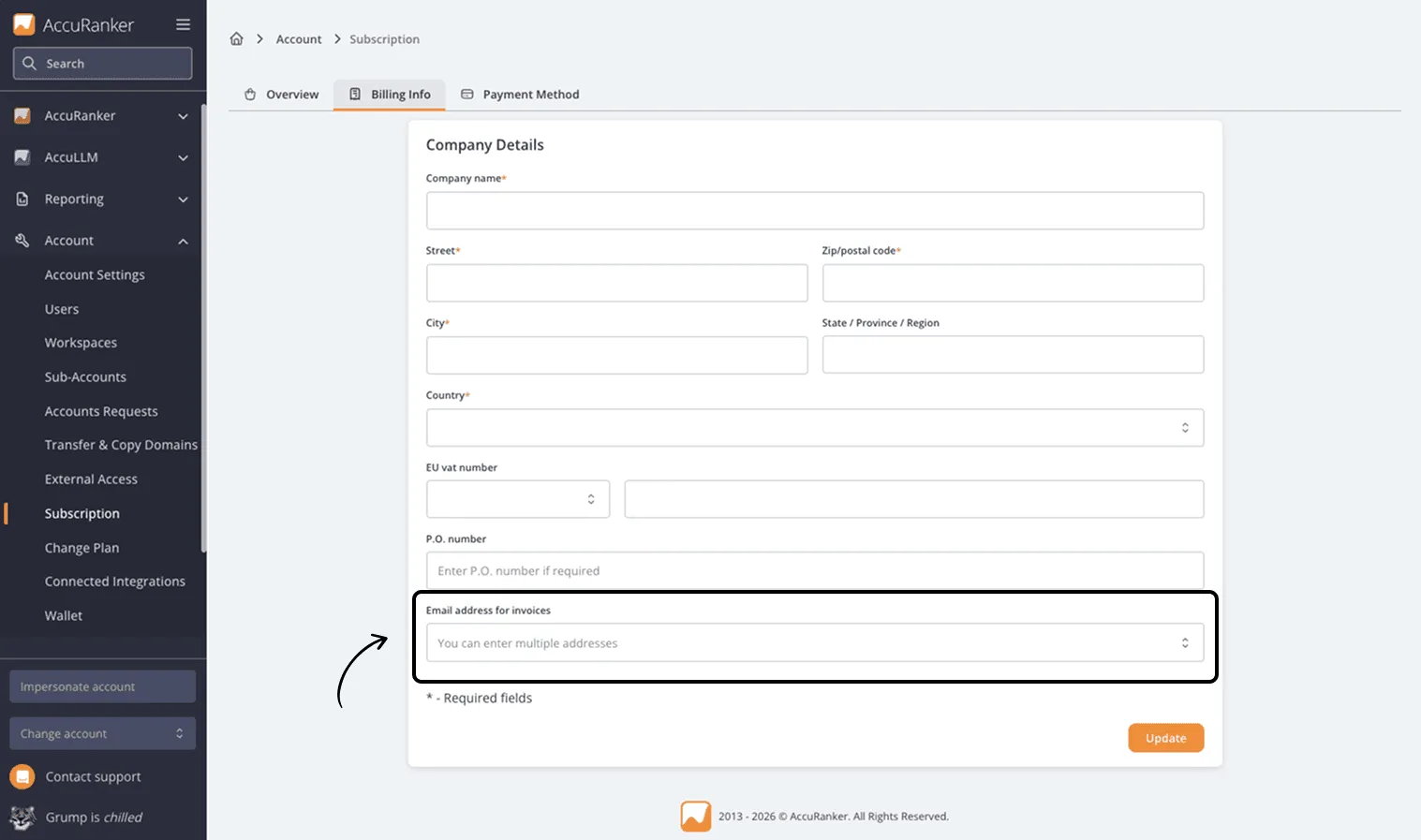
In the “Subscription” section, click “Billing info”.

Step 2)
Change the Email in the bottom to the correct one.
Related help guides
Cannot Access Account Settings
Changing Subscriptions
Changing Profile Settings
Still need help?
Customer support
Our live support team is ready to assist you with any issues.