

Changing Subscriptions
AccountUpgrading or downgrading your current subscription in AccuRanker
Where can I upgrade or downgrade my subscription in AccuRanker?
Go to Account -> Subscription -> Change plan
Choose the plan you want to upgrade/downgrade to.
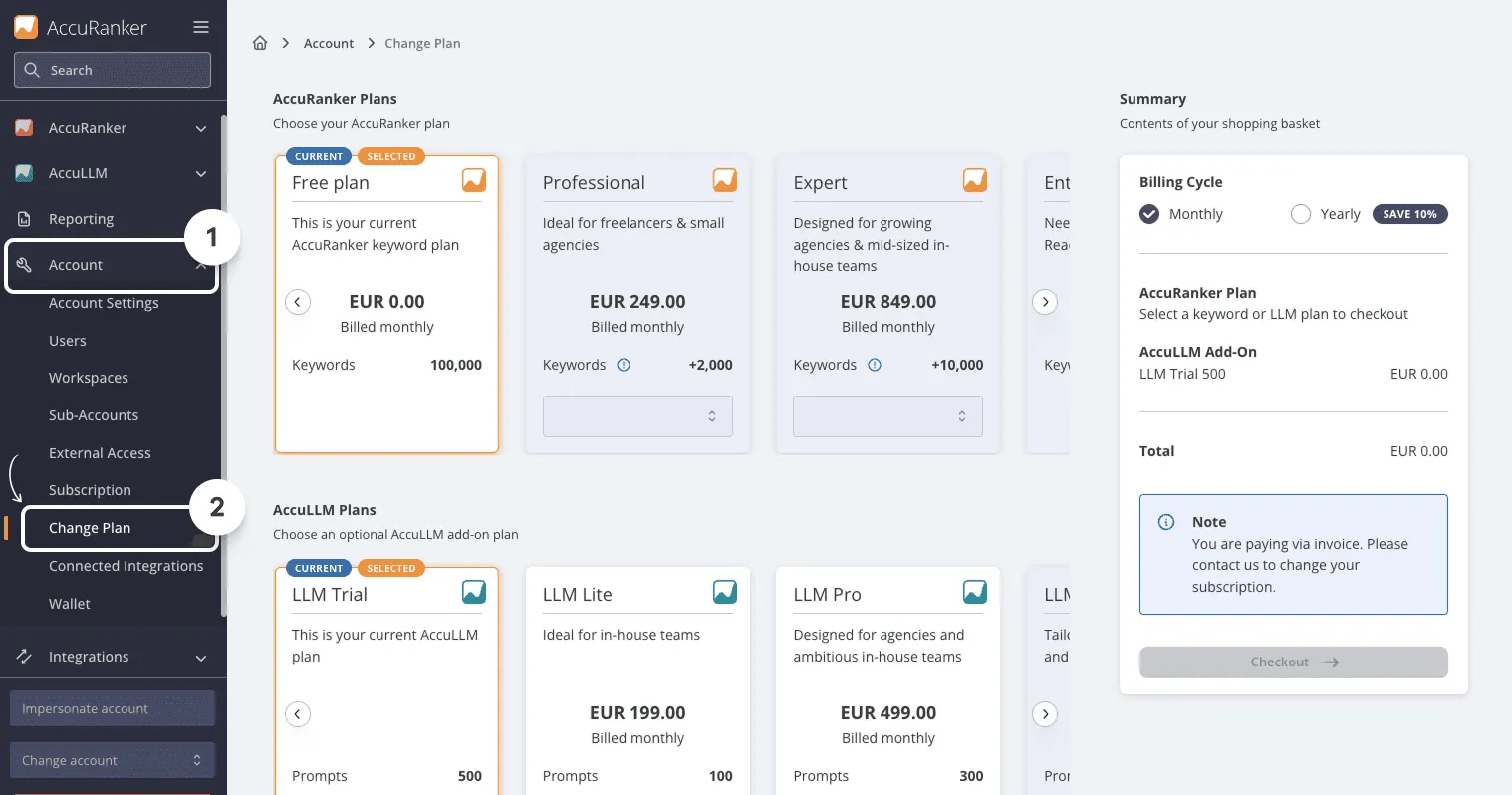
And you’re done!
What happens after I’ve upgraded or downgraded in AccuRanker?
If you’re upgrading
Your new plan will be active immediately, and you will pay the difference between what is left on your old subscription and the new one.
If you’re downgrading
You will keep your current subscription until the next payment. From here you will then be switched to the new plan.
Related help guides
Cannot Access Account Settings
Adding Users
Deleting Keywords
Still need help?
Customer support
Our live support team is ready to assist you with any issues.